












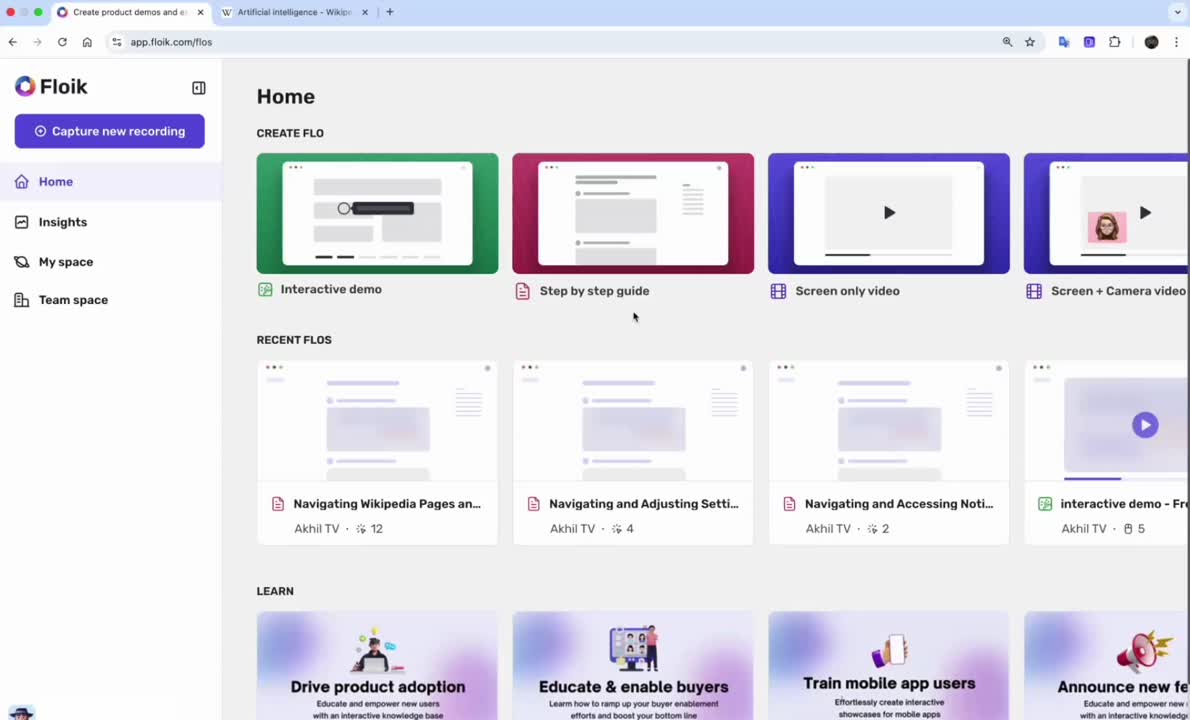
Open your product on a Chrome Tab and click through the steps. We automatically generate a how-to guide with the screenshots, videos and text for the action to be performed.
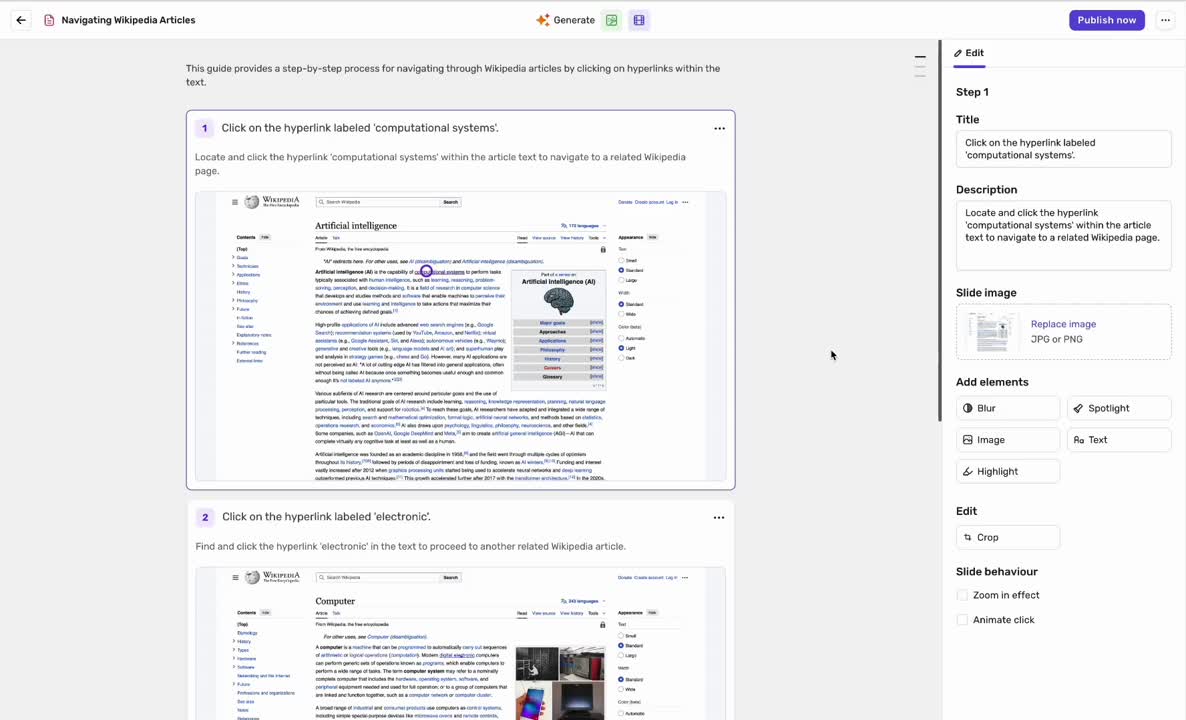
Edit the text and the colour of the mouse clicks based on your brand's color palette. You can also remove a step if it's not relevant to the product story anymore.
Easily embed these guides across your help center, knowledge base, training academy and more. You can also share public URLs and view real-time engagement insights.

✨ Create AI Guides Seamlessly – Chrome Browser Extension Required! ✨

✔ Floik auto-records in 1 click
✘ Tango requires manual edits

✔ Floik link + embed anywhere + script
✘ This gives limited embeds
.svg)
✔ In Floik your Guides can have video slides
✘ Higher seat costs for simple guide

✔ You get Guide, Video, Interactive Demos, Camera
✘ Only Guide format
Floik is truly a game changer in the realm of technology. It revolutionizes the process of creating user manuals by providing unparalleled ease and convenience. The intuitive interface and robust features make it a joy to use. The ability to effortlessly generate clear and concise instructional documents sets Floik apart from other applications.


Floik has saved me well over twenty hours every time I create a guide and that is probably underestimating it! I've created a lot of step-by step interactive guides for my blog, and explainer videos for 1:1 clients. It helps to eliminate confusion and clients can reference these materials when it suits them.


✔ 1 user
✔ Publish up to 5 Flos
✔ Upload upto 1 custom video
✔ Edit and share Flos
✔ Basic video editing
✔ Record Flos up to 5 minutes per Flo
✔ Basic insights
✔ 1 recording format - Step-by-step Guide
✔ Unlimited published Flos
✔ Share with URL or Embed it
✔ Custom branding
✔ Blur post recording
✔ Add images / GIFs to Flos
✔ Record guide up to 100 steps per Flo
✔ Smart crop your slides
✔ Animate your slides using presets
-p-130x130q80.avif)