Celebrate July 4th with a 10% Independence Day discount! Use coupon code — JULY4QC2024! 🤩
-p-130x130q80.avif)
You can now split a step-by-step guide into chapters. Each chapter gets its own cover, so viewers can see the structure at a glance and find the section they need.
Refer to How to add Chapter to guide for a detailed walkthrough.
Annotations are no longer limited to Step-by-Step Guides. You can now add them to Videos and Interactive Demos to highlight important information exactly when viewers need it. From the Edit panel, go to Add elements → Annotation and choose from four annotation types:
Customize the title, description, timing, and on-screenposition to fit your content. You can also add a sound effect or keep an annotation visible for its entire duration.
Perfect for guiding viewers without cluttering your video or demo.
Refer to How to add annotations to videos for a detailed walkthrough.
You can now schedule a subscription downgrade instead of switching plans immediately — your current plan stays active until the end of your billing cycle.
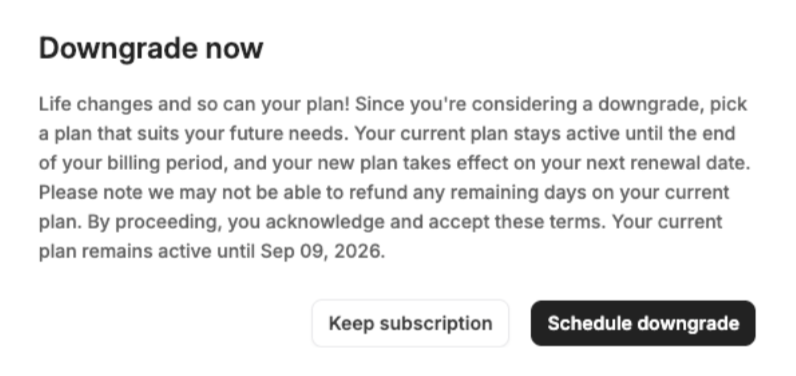
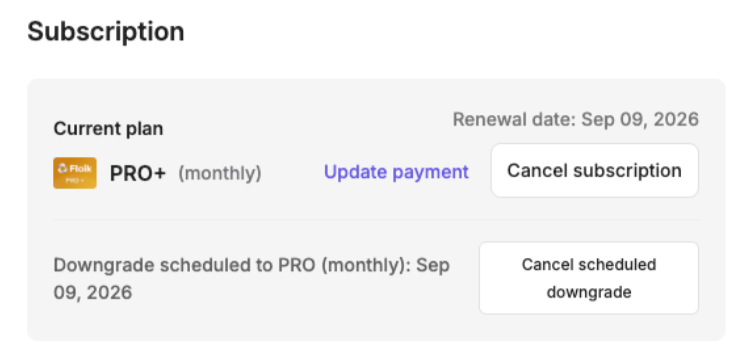
Perfect for switching plans without giving up days you've already paid for.
.avif)
.svg)


