Layer timed cards over your Explainer Video that call out notes, tips, updates and warnings at the second they apply.
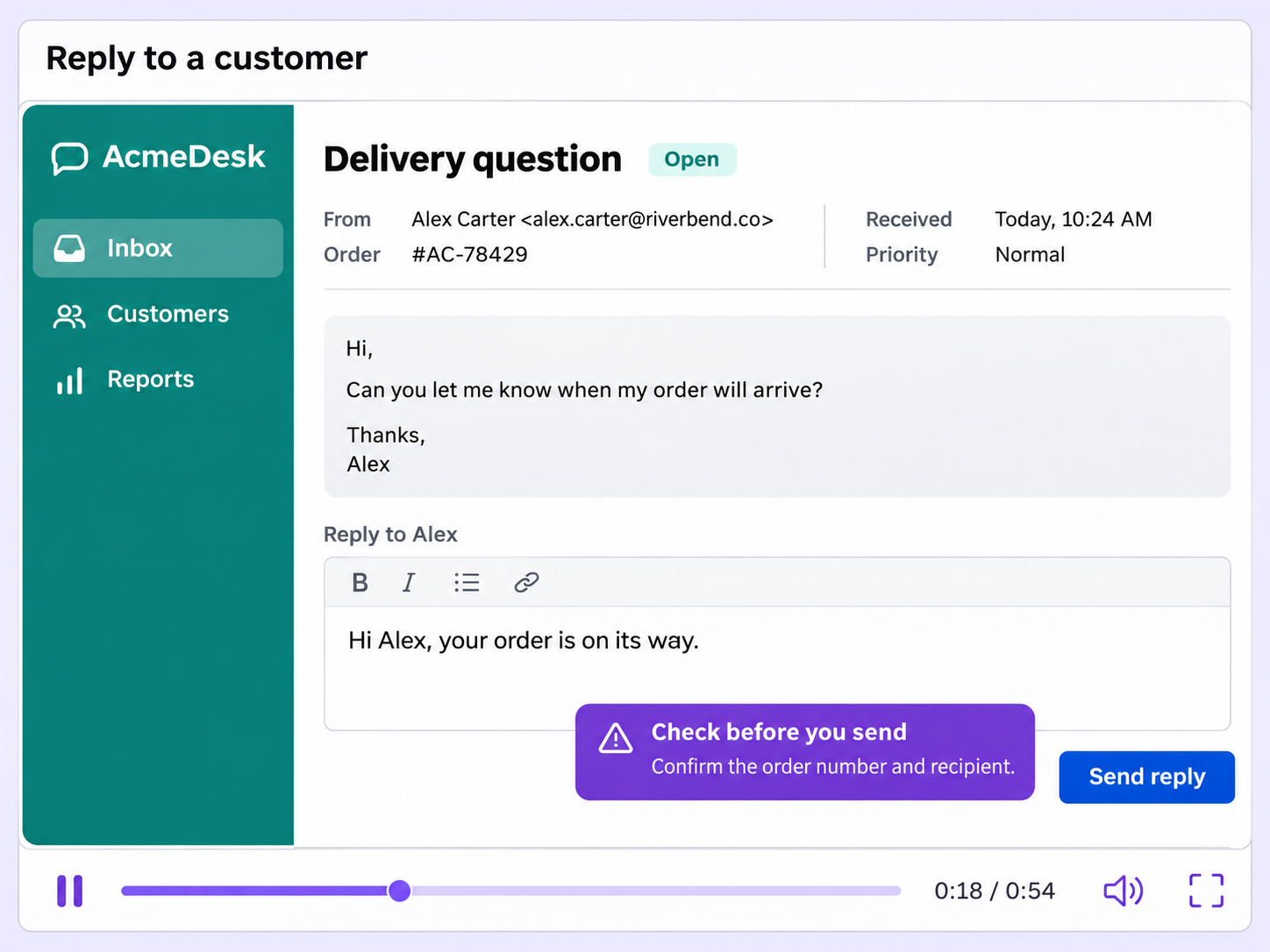
Flagging a caution without cluttering the frame is hard. Annotations place a card on your video only between the start and end times you set.
Each annotation has its own start and end time, so the card appears and disappears exactly when the moment calls for it.
Quick Note, Key Insight, Announcement and Alert each have a distinct icon, so viewers know what kind of message it is before reading it.
Stay always keeps an annotation on screen with no way for viewers to dismiss it, for information they shouldn't skip past.
Quick looks of how to do this in Floik app
A few situations where this feature saves the most time.
A training team records a walkthrough with one step that's easy to get wrong. An Alert covers those seconds, so learners see the warning in time.
A team publishes a feature explainer video and adds a Key Insight where a tip saves time, so customers pick it up while watching.
Capture workflows from your browser or desktop applications with the Floik Chrome extension, or simply upload an MP4. Floik AI does the heavy lifting, taking you all the way to polished interactive guides, SOPs, feature walkthroughs, and professionally narrated videos.
You review. You validate. You refine. You stay in control.
Free plan available · No credit card required