Celebrate July 4th with a 10% Independence Day discount! Use coupon code — JULY4QC2024! 🤩
-p-130x130q80.avif)
.avif)

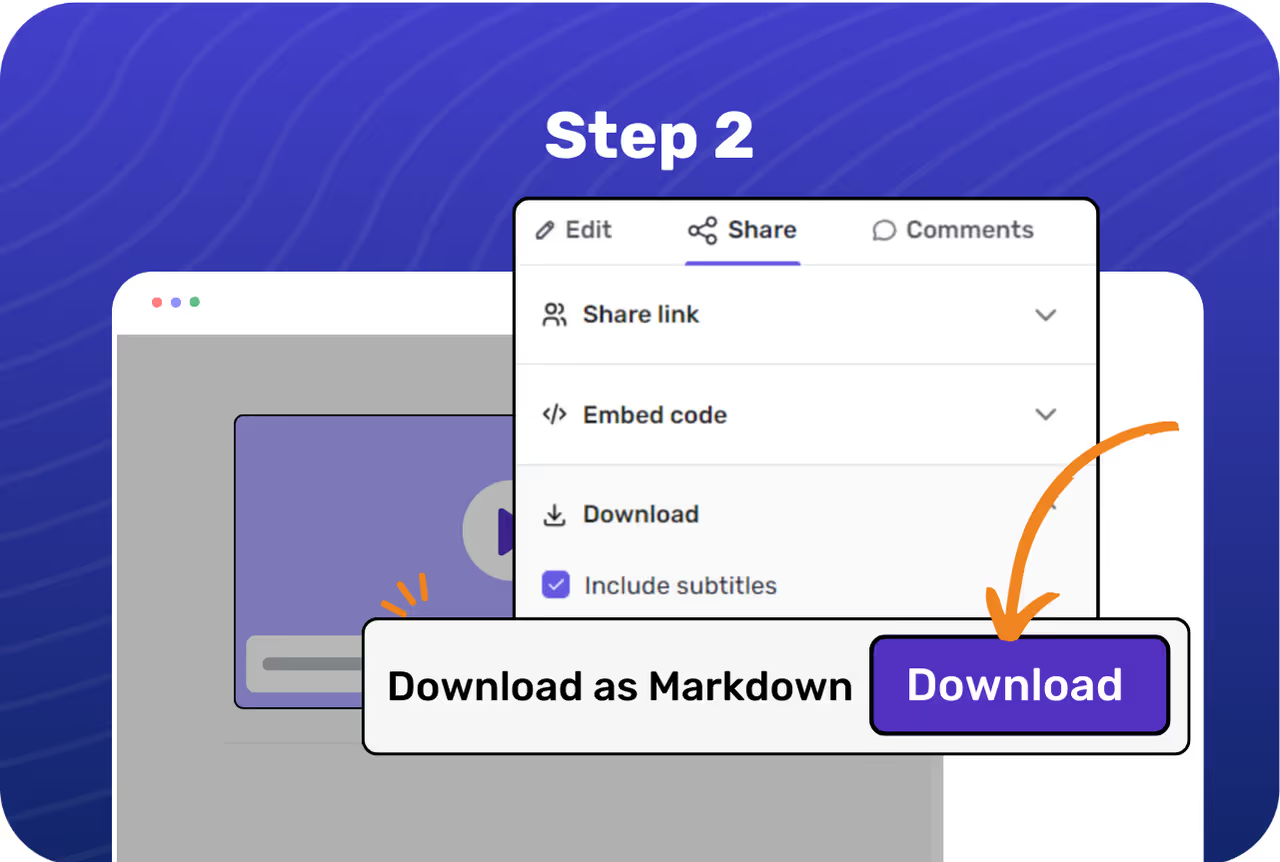
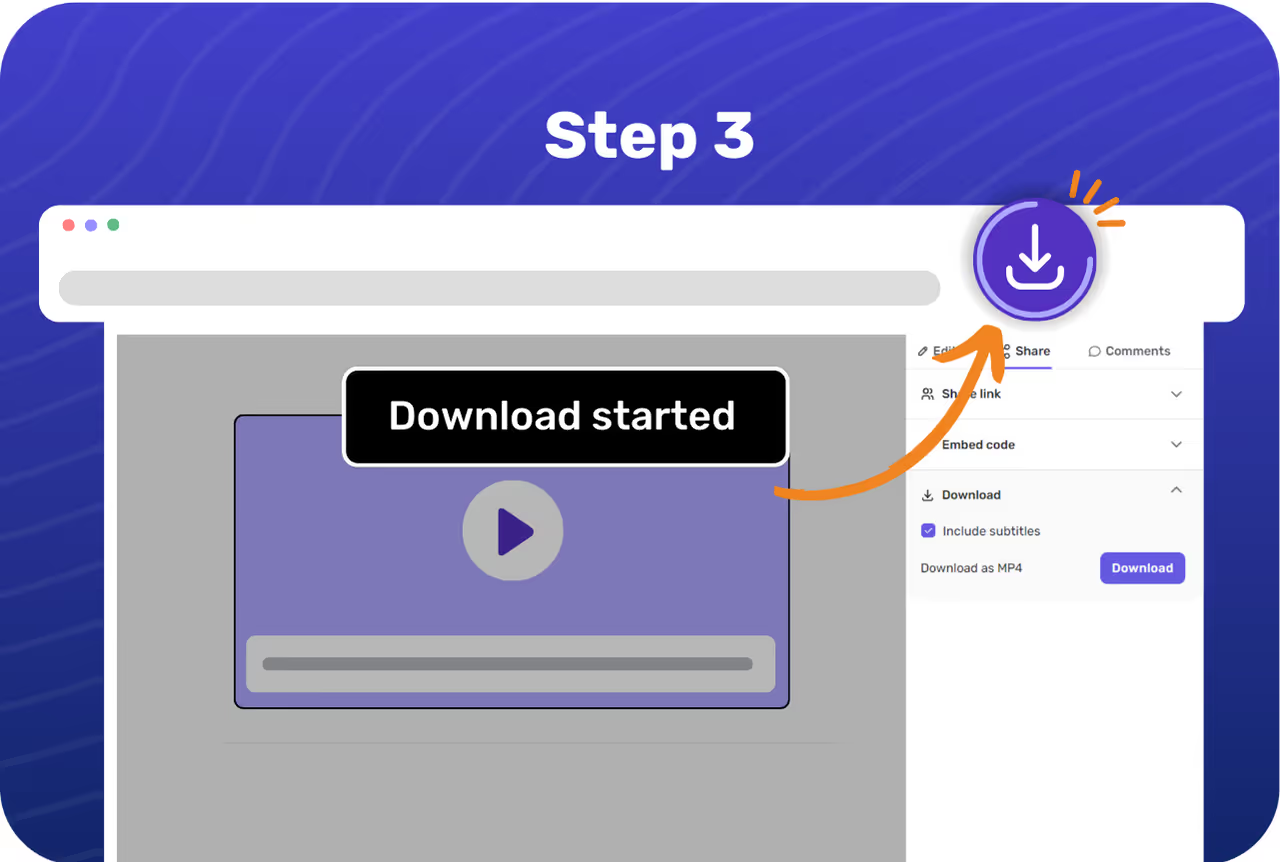
Browse through all your Flos and choose the one you want to export as a Markdown file.
Make necessary edits to fine-tune the guide. Then, go to the Share tab to find the download options.
Click the Export as Markdown button. A link to download the file will be sent to your email.

Enjoy guides in Markdown format that are easy to read and edit with simple text formatting.
Markdown files work well with version control systems like Git, allowing you to track changes, collaborate with others, and manage different versions of your guides.
Markdown is compatible with many text editors and documentation tools, making it easy to integrate into your existing workflow.
Editing Markdown files does not require specialized software; you can use any plain text editor, which is available on all operating systems.
-p-1080.avif)
.avif)
.avif)
.avif)
.svg)


