-p-130x130q80.avif)
Narrate your Step-by-Step Guides, Interactive Demos, and Explainer Videos in every language you add, with an AI voice you choose for each.
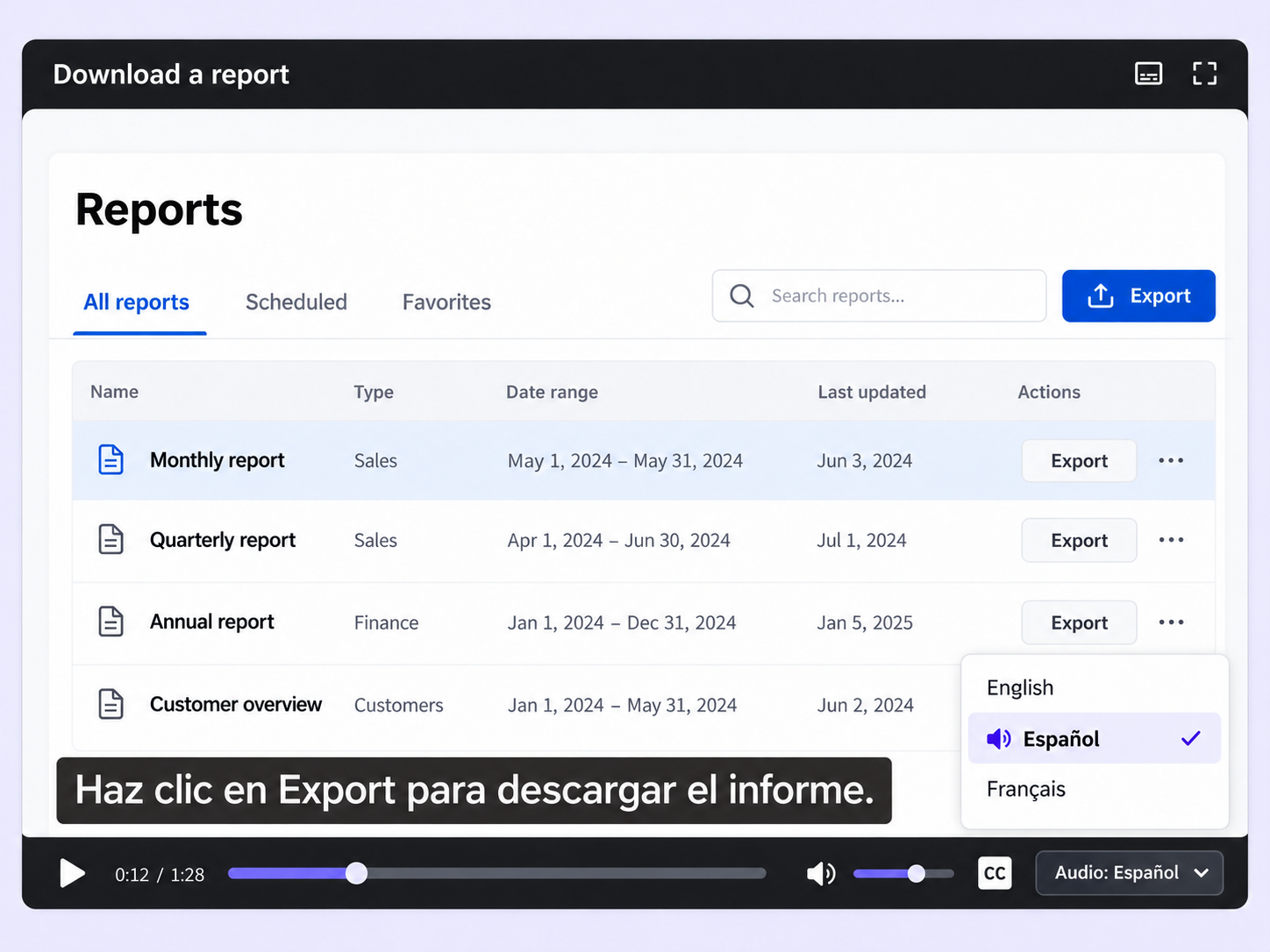
Recording a fresh voiceover for every language means more takes, more edits, and more time. Multi-lingual AI voiceover narrates each language you add.
Switch on AI voice for any language you add and choose a voice from the dropdown. Floik assigns a default to get you started.
Your script arrives in timestamped segments. Edit any line, or click Update script and describe a change, like a friendlier tone.
Viewers switch language from the player controls and change subtitles separately, so they can listen in one language and read in another.
Quick looks of how to do this in Floik app
A few situations where this feature saves the most time.
Add a language to each course guide, demo, or video, switch on AI voice, and refine the narration until it fits the lesson.
Localize the same product demo for each market you sell into, with AI voice and subtitles in your prospect's language.
Capture workflows from your browser or desktop applications with the Floik Chrome extension, or simply upload an MP4. Floik AI does the heavy lifting, taking you all the way to polished interactive guides, SOPs, feature walkthroughs, and professionally narrated videos.
You review. You validate. You refine. You stay in control.
Free plan available · No credit card required
.avif)
.svg)


