AI reads your Step-by-Step Guide aloud, in a voice you choose for each language, so viewers can listen to every step.
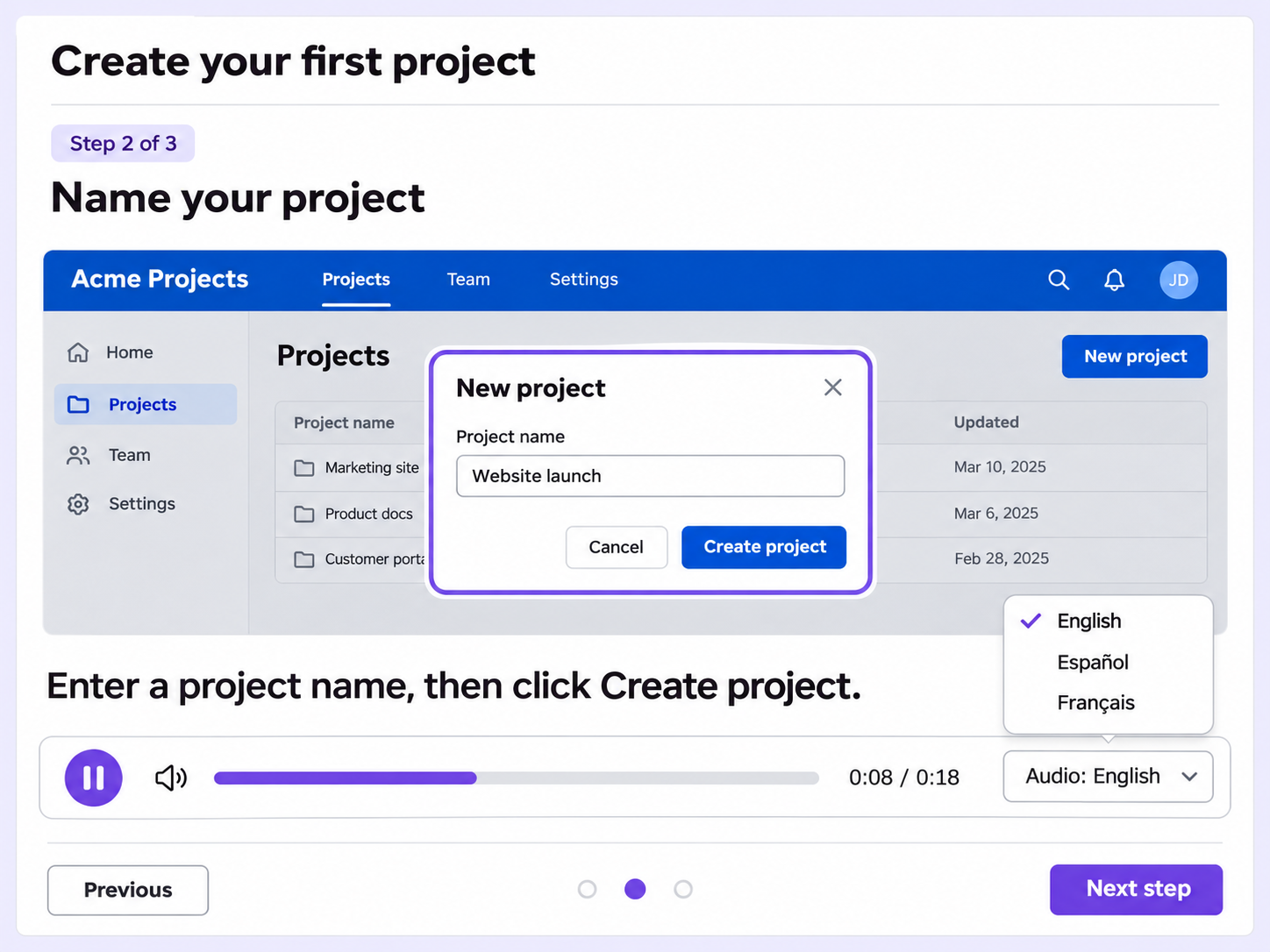
Recording a separate voiceover for every language is slow work. AI Flo Narration generates AI narration for each language on your guide.
Each language on your guide gets its own AI voice, picked from the available options, so every audience hears narration in its own language.
Narration generation is tracked individually for each language, so you can see where each one stands.
Viewers can play and pause the narration and switch the narration language while they listen to the guide.
Quick looks of how to do this in Floik app
A few situations where this feature saves the most time.
A team publishes a setup guide in its help center. Customers play the narration while they work through each step in the product.
A training team adds narration to an internal process guide, so new hires can listen while they work through each step.
Capture workflows from your browser or desktop applications with the Floik Chrome extension, or simply upload an MP4. Floik AI does the heavy lifting, taking you all the way to polished interactive guides, SOPs, feature walkthroughs, and professionally narrated videos.
You review. You validate. You refine. You stay in control.
Free plan available · No credit card required