Split a long Step-by-Step Guide into named sections, each with its own cover, so viewers can see its structure.
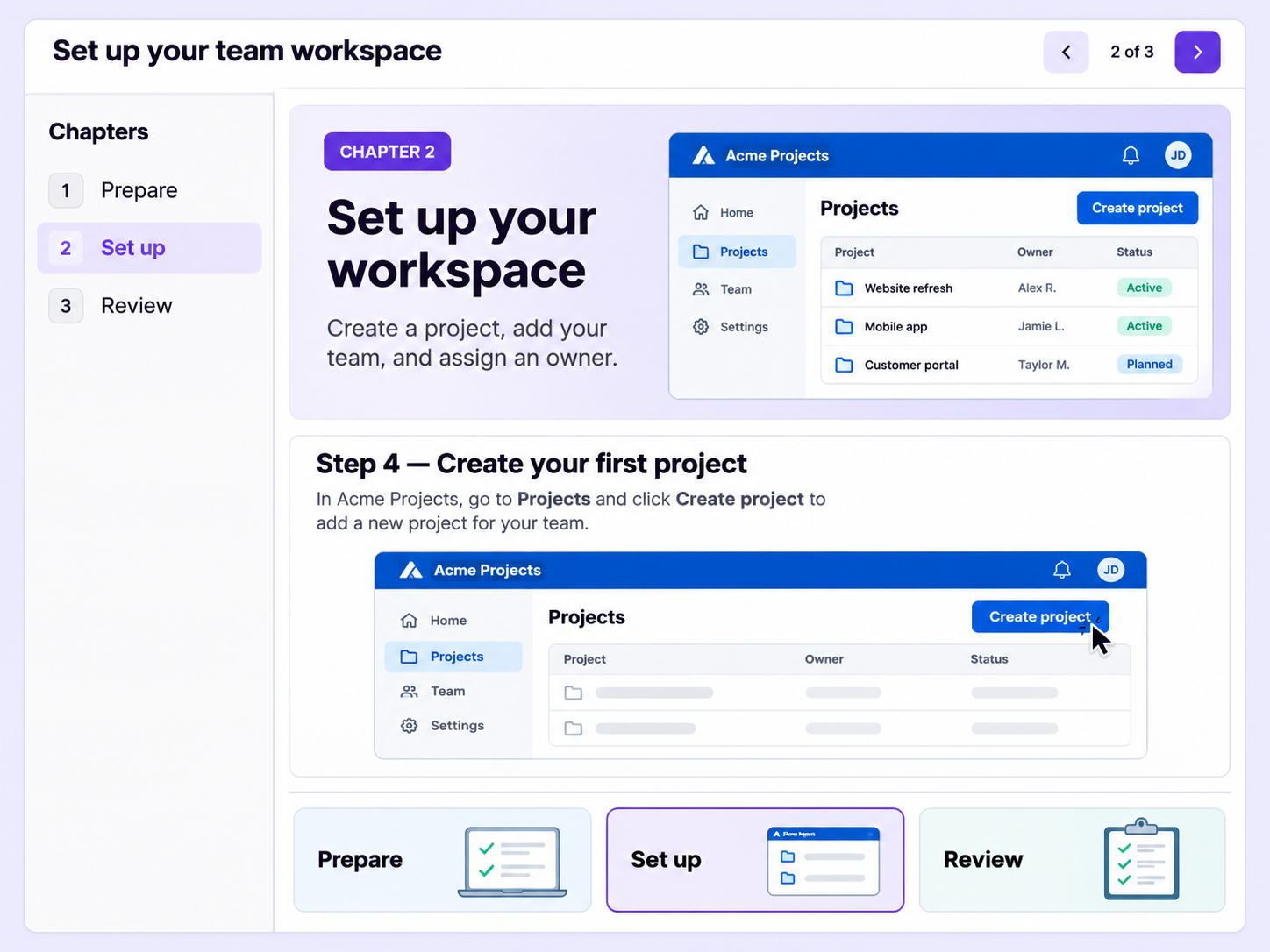
A guide with dozens of steps in one run is hard to scan. Chapters split it into named sections, so viewers find the part they need.
Each chapter has its own cover with a title, a description and a background image, so every section has a name.
Chapters show viewers how the guide is organized, so they can tell where one section ends and the next begins.
Start a new section at any point in the guide, with each chapter introducing the steps that follow it.
Quick looks of how to do this in Floik app
A few situations where this feature saves the most time.
An operations team documents a process in stages, such as preparation, execution and review. Each stage gets a chapter, so team members find their stage quickly.
A training team splits a long onboarding guide into chapters by topic, so new hires see what it covers and find their section.
Capture workflows from your browser or desktop applications with the Floik Chrome extension, or simply upload an MP4. Floik AI does the heavy lifting, taking you all the way to polished interactive guides, SOPs, feature walkthroughs, and professionally narrated videos.
You review. You validate. You refine. You stay in control.
Free plan available · No credit card required