Explain your product as viewers watch. Hotspots attach a title and description to the exact moment in your Interactive Demo where each one belongs.
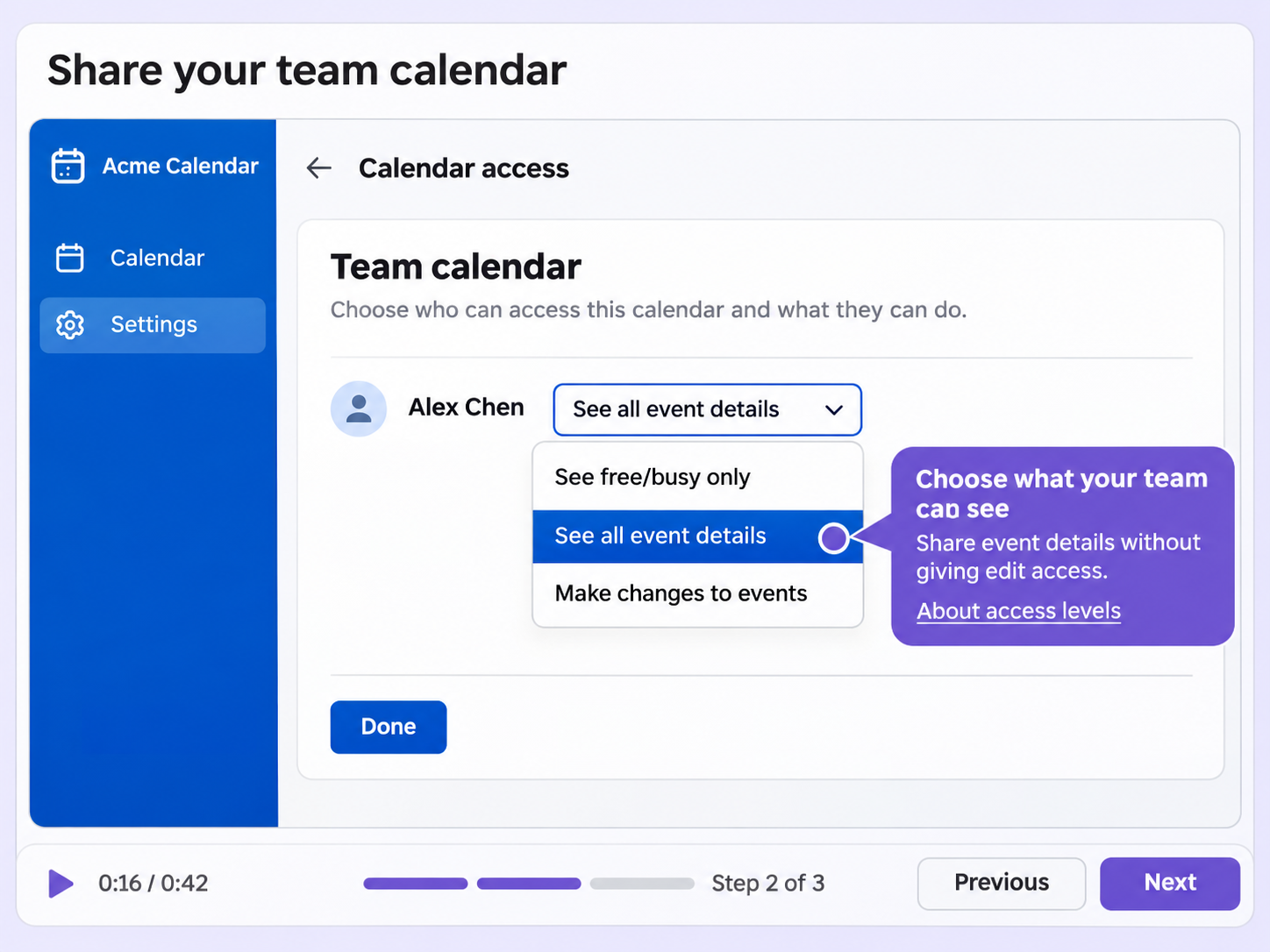
A recorded product flow shows what happened, but not why it matters. Hotspots add context at the moments that matter, so viewers follow along without guessing.
Give each hotspot a title and a description with bold, italic, underline, lists and links. The explanation sits right next to the moment it covers.
Hotspots appear at the time you set, exactly where you position them, with their title and description on whichever side you choose.
Any hotspot can zoom in on its part of the screen and play an AI voiceover from a script you write.
Quick looks of how to do this in Floik app
A few situations where this feature saves the most time.
Add a hotspot where your new feature appears, with a title and description that say what it does and where it lives.
Add a hotspot to each setup screen that explains what it is for, so new customers can follow the flow on their own.
Capture workflows from your browser or desktop applications with the Floik Chrome extension, or simply upload an MP4. Floik AI does the heavy lifting, taking you all the way to polished interactive guides, SOPs, feature walkthroughs, and professionally narrated videos.
You review. You validate. You refine. You stay in control.
Free plan available · No credit card required