{ "@context": "https://schema.org", "@graph": [ { "@type": "WebPage", "@id": "https://www.floik.com/features/share-your-flo-as-a-script#webpage", "url": "https://www.floik.com/features/share-your-flo-as-a-script", "name": "Share your Flo as a script", "description": "Embed Flos with a shared header script and a separate tag for each Flo. Restrict which domains can load them.", "inLanguage": "en", "isPartOf": { "@id": "https://www.floik.com/#website" }, "about": { "@id": "https://www.floik.com/#software" }, "primaryImageOfPage": { "@id": "https://www.floik.com/features/share-your-flo-as-a-script#primaryimage" } }, { "@type": "ImageObject", "@id": "https://www.floik.com/features/share-your-flo-as-a-script#primaryimage", "contentUrl": "https://cdn.prod.website-files.com/646decbb1ee966061c86eaf1/6ae2c9d87058b8d5a2bc142b_6ae2c94d78db9f82a58547f4_floik-feature-share-your-flo-as-a-script-hero.avif" } ] }
Engage

Share your Flo as a script

Embed your Flos with a lightweight script tag, and limit which of your domains are allowed to load them.
Share your Flo as a script
Engage

One script, every page

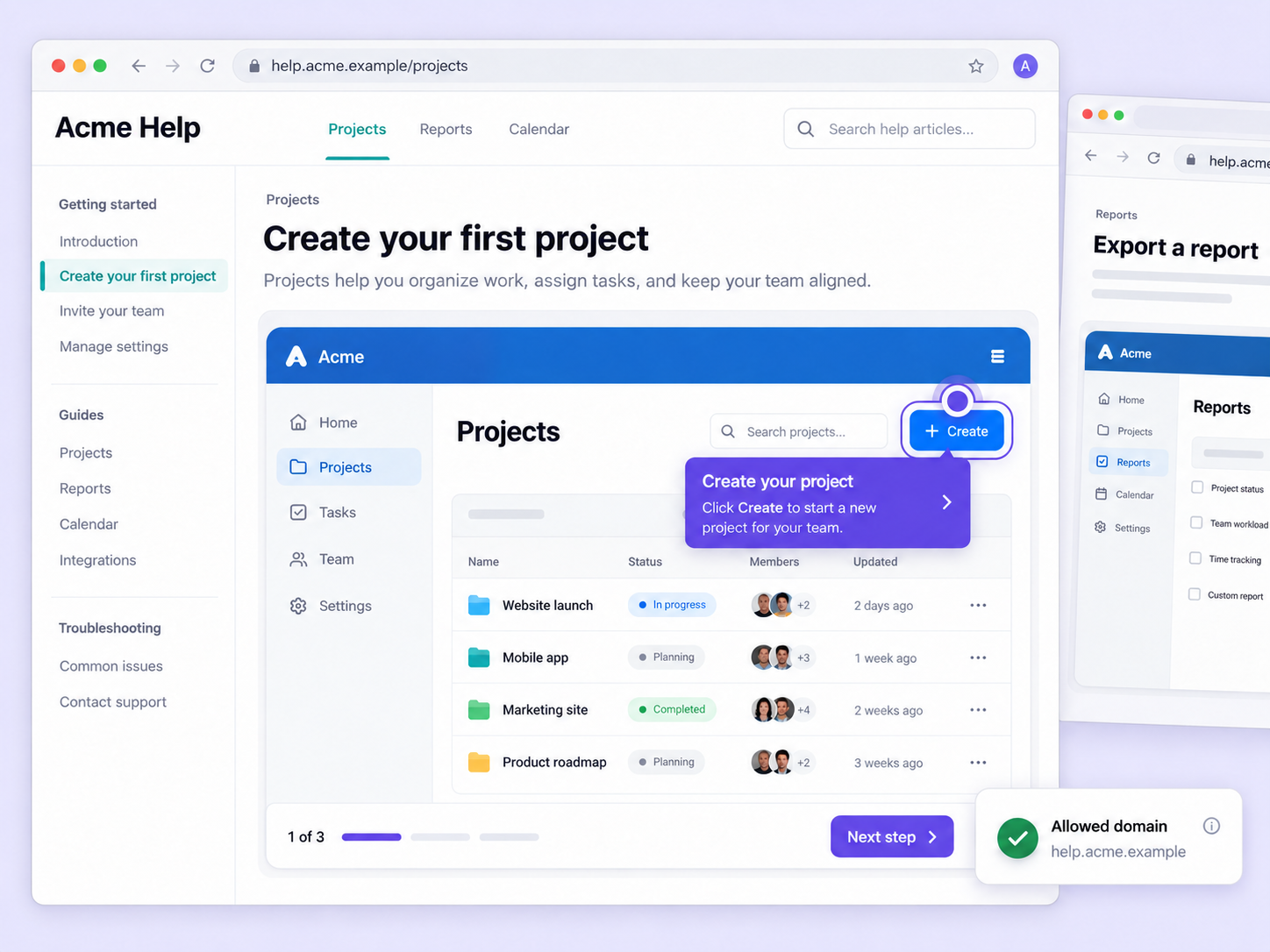
Pasting a separate embed code on every page gets tedious for developers. Share your Flo as a script loads them all from one header script.

One header script

Copy the Header Script from Settings and add it to your site's head section. It's required to load any Flo.

A tag for each Flo

Copy a unique Flo tag from the Script accordion in the Share tab and place it wherever the Flo should appear.

Domain control

Add allowed domains in your settings, and only those domains can load and display your Flo through the script.

How can you do this in Floik

Quick looks of how to do this in Floik app

When teams use this

A few situations where this feature saves the most time.

Support ticket deflection

Add the header script once to your help center, then place a Flo tag in each article that needs a walkthrough.

Recording directly from production

Drop Flo tags into tutorial sections across your academy, with access limited to your own domains.

FAQ Unpacked

Frequently asked questions

Can I download videos as GIFs?

How do I save my trims?

Is it possible to undo or adjust the blur after applying?

Capture your workflow once.

AI does the heavy lifting. You stay in control.

Capture workflows from your browser or desktop applications with the Floik Chrome extension, or simply upload an MP4. Floik AI does the heavy lifting, taking you all the way to polished interactive guides, SOPs, feature walkthroughs, and professionally narrated videos.

You review. You validate. You refine. You stay in control.

Free plan available · No credit card required


