Zoom into the part of the screen that matters, so viewers focus on the action, in Interactive Demos, Step-by-Step Guides and Explainer Videos.
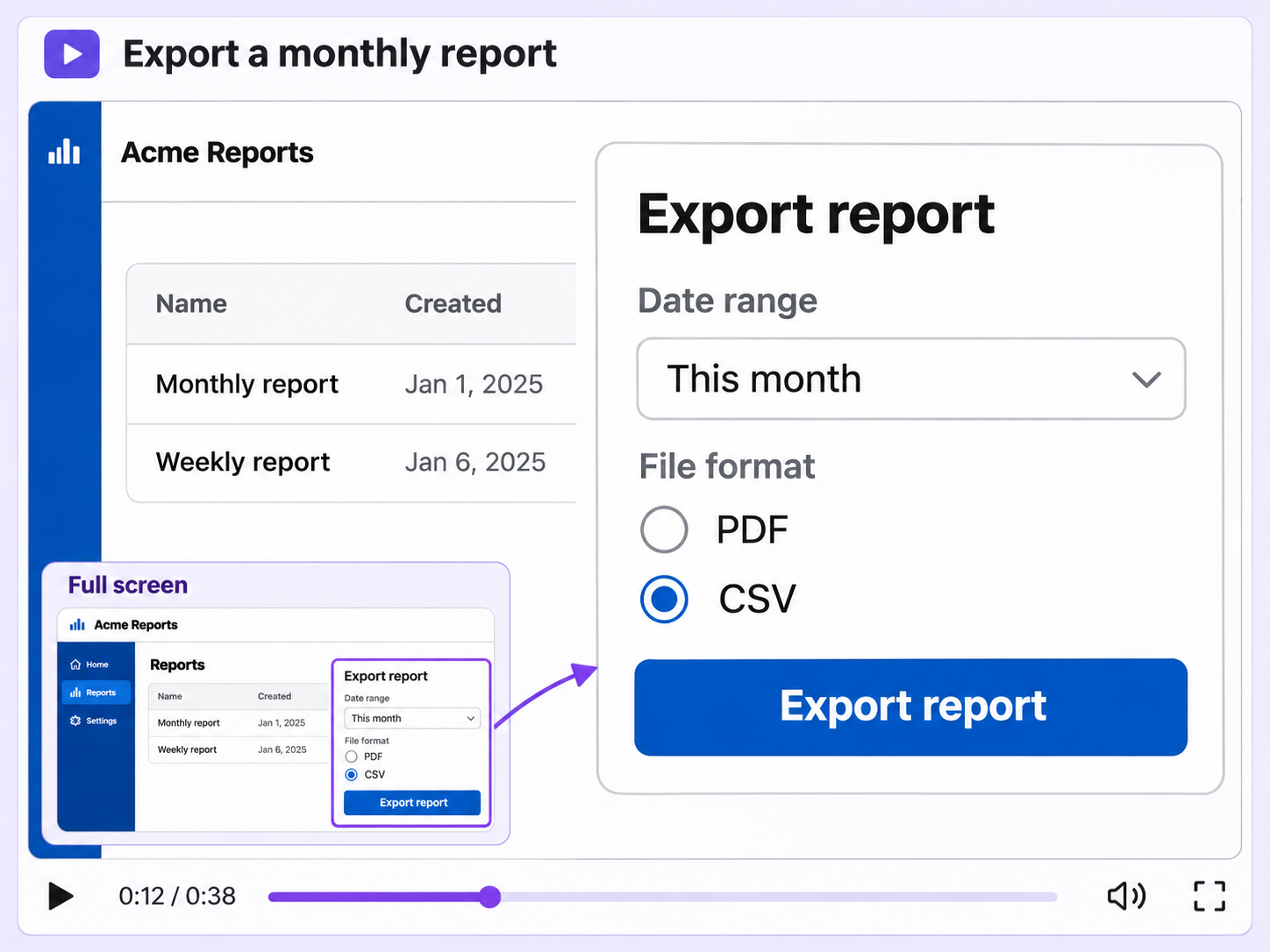
Complex workflows are hard to follow when every detail is the same size. Zoom enlarges the area that matters, so viewers know where to look.
The Zoom element enlarges the exact area you pick in an Interactive Demo or Explainer Video, from a small button to a single field.
Set when each zoom starts and ends in a demo or video, and pick a slow, medium or fast transition in and out.
In Step-by-Step Guides, the Zoom in effect zooms a step image on the part that contains the mouse click, set step by step.
Quick looks of how to do this in Floik app
A few situations where this feature saves the most time.
Zoom in on the new button or field in your latest release, so customers see exactly where the feature lives.
Zoom into the field a step is about, so learners can follow a complex workflow one detail at a time.
Capture workflows from your browser or desktop applications with the Floik Chrome extension, or simply upload an MP4. Floik AI does the heavy lifting, taking you all the way to polished interactive guides, SOPs, feature walkthroughs, and professionally narrated videos.
You review. You validate. You refine. You stay in control.
Free plan available · No credit card required