{ "@context": "https://schema.org", "@graph": [ { "@type": "WebPage", "@id": "https://www.floik.com/features/select-your-slide-image#webpage", "url": "https://www.floik.com/features/select-your-slide-image", "name": "Select your slide image", "description": "Replace a step image with a captured recording frame or an uploaded image in Floik. Update the image without recording the guide again.", "inLanguage": "en", "isPartOf": { "@id": "https://www.floik.com/#website" }, "about": { "@id": "https://www.floik.com/#software" }, "primaryImageOfPage": { "@id": "https://www.floik.com/features/select-your-slide-image#primaryimage" } }, { "@type": "ImageObject", "@id": "https://www.floik.com/features/select-your-slide-image#primaryimage", "contentUrl": "https://cdn.prod.website-files.com/646decbb1ee966061c86eaf1/6ae2c9d87058b8d5a2bc1406_6ae2c94c38db2cc45045a7d9_floik-feature-select-your-slide-image-hero.avif" } ] }
Edit

Select your slide image

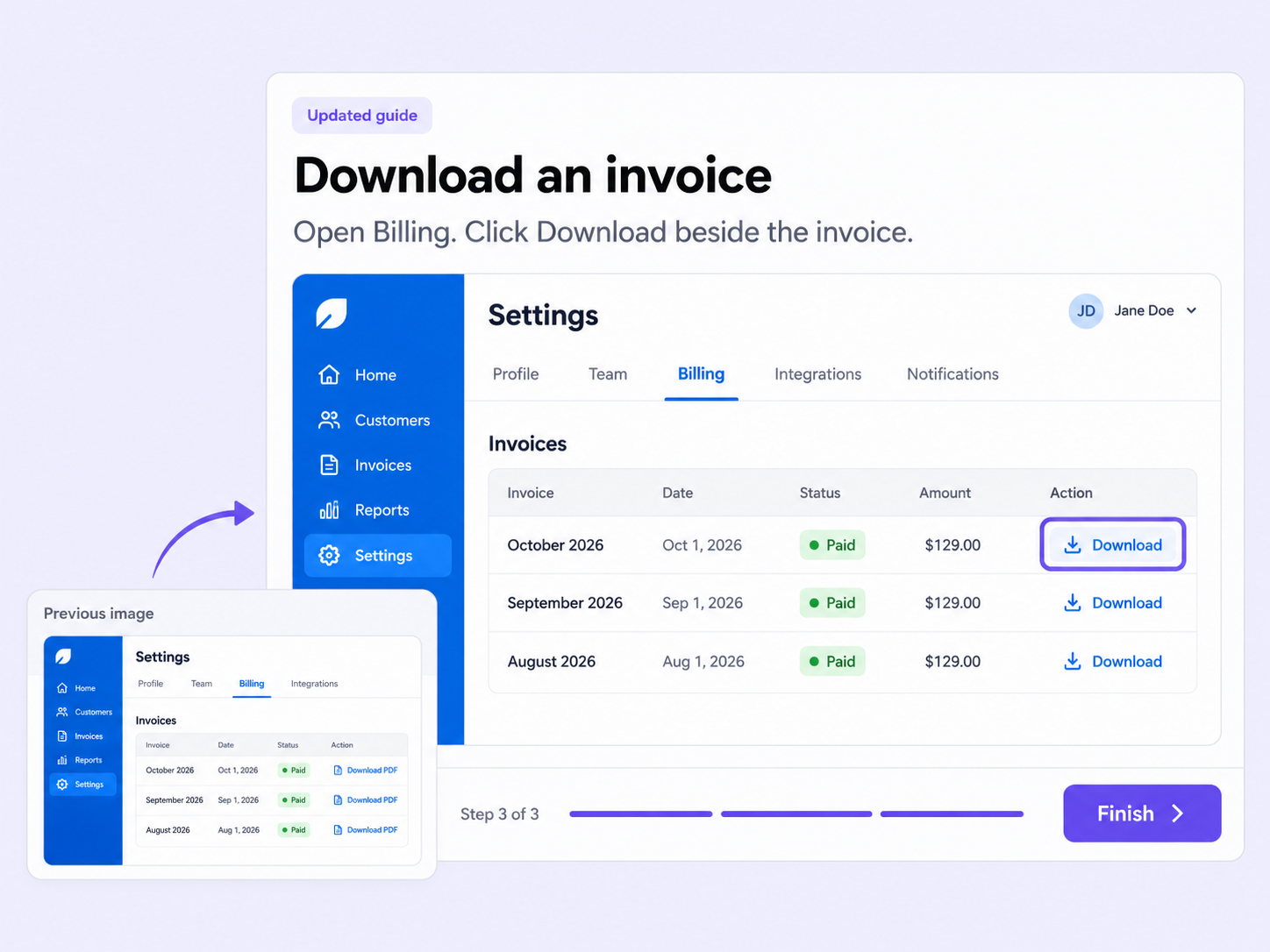
Replace the image on any step with an original frame from your recording or one of your own uploads, without re-recording.
Select your slide image
Edit

The right image for every step

One outdated screenshot makes a whole guide look stale, and re-recording just to fix it is overkill. Select your slide image swaps it in place.

Originals, captured for you

Browse every original frame Floik captured during the recording, and pick the one that shows the step best.

Bring your own image

Upload brand images, annotations, or alternate visuals under My Uploads, in JPG, PNG, or SVG format.

A different image per step

Each step can use a different image, so you can tailor the message and preview your choice before you apply.

How can you do this in Floik

Quick looks of how to do this in Floik app

When teams use this

A few situations where this feature saves the most time.

Support ticket deflection

Swap in a fresh screenshot when your product UI changes, so help guides stay accurate without re-recording.

Recording directly from production

Replace captured frames with on-brand images in your academy's guides, so every step matches your visual style.

FAQ Unpacked

Frequently asked questions

How is access managed in private sharing?

Can I add multiple CTAs?

Will the link change if I switch the mode?

Capture your workflow once.

AI does the heavy lifting. You stay in control.

Capture workflows from your browser or desktop applications with the Floik Chrome extension, or simply upload an MP4. Floik AI does the heavy lifting, taking you all the way to polished interactive guides, SOPs, feature walkthroughs, and professionally narrated videos.

You review. You validate. You refine. You stay in control.

Free plan available · No credit card required


