Celebrate July 4th with a 10% Independence Day discount! Use coupon code — JULY4QC2024! 🤩
-p-130x130q80.avif)
.avif)
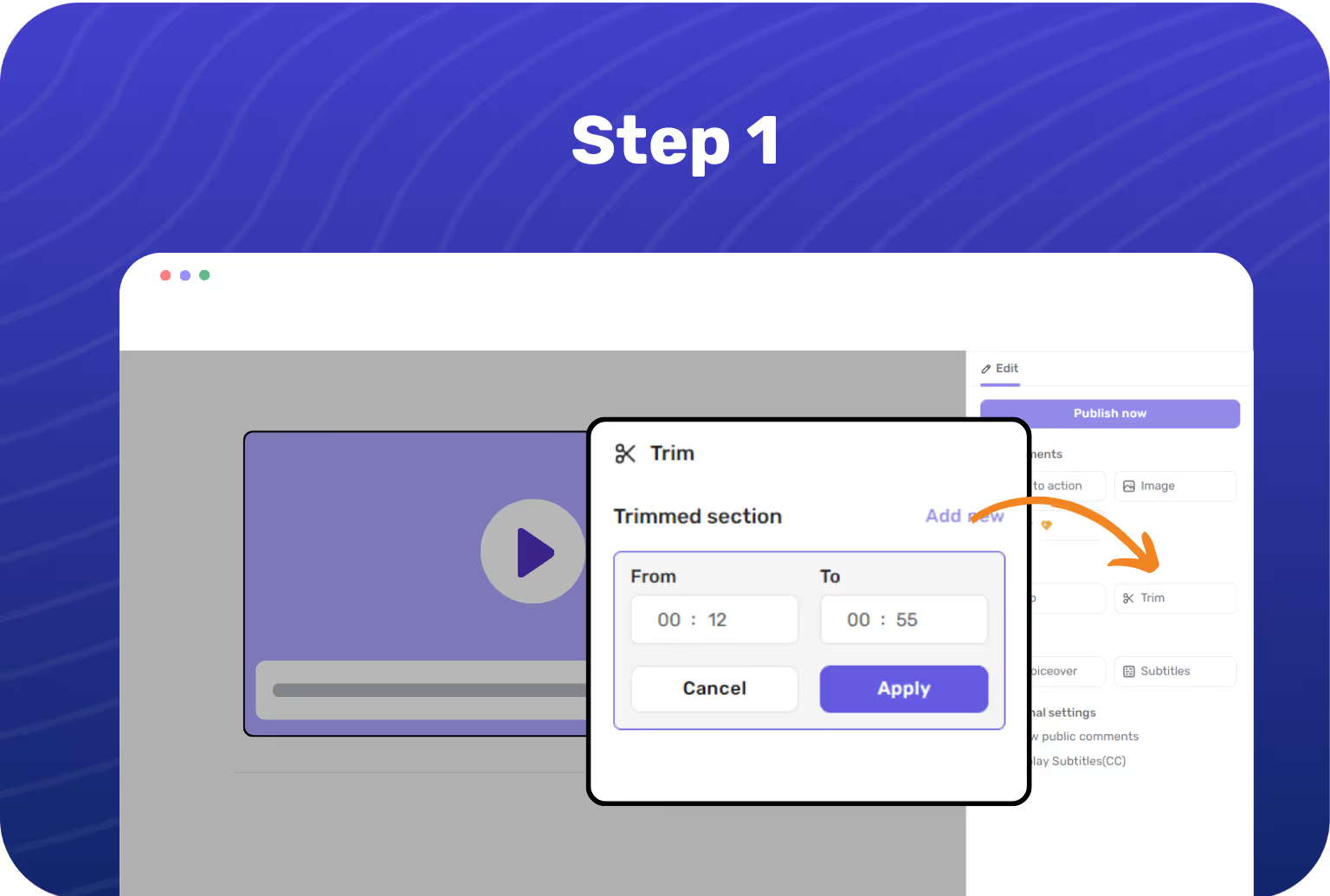
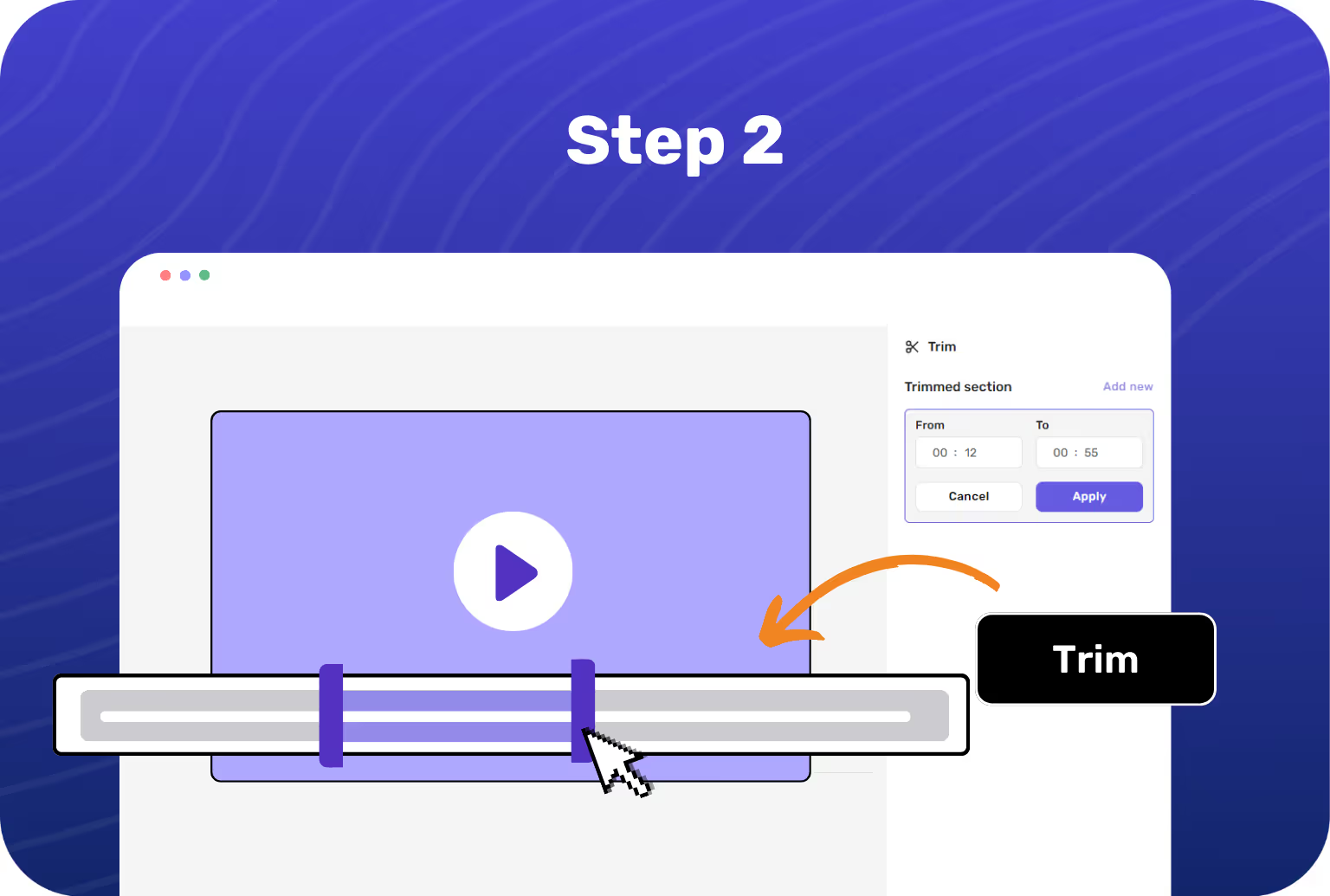

Select the video you wish to edit and choose the trim option from Floik's editing panel.
Use the sliders to mark the start and end points where you want to cut scenes. You can also add the timestamps to cut scenes in your video.
Confirm your edits to split the video into parts, then hit publish. You can share this video with a URL, an embed code, or download it as a GIF or MP4.

Effortlessly cut scenes from your video to streamline your product storytelling and make each moment count.

Use Floik's split video feature to divide your video into multiple parts and edit each part to create impactful content.

Whether it’s Instagram, YouTube, or corporate presentations, Floik's video clipper tailors your content to fit the medium.

Learn how to trim videos effortlessly on any operating system, like Mac, Windows, and more.
.avif)
-p-1080.avif)
.avif)
.svg)


