Celebrate July 4th with a 10% Independence Day discount! Use coupon code — JULY4QC2024! 🤩
-p-130x130q80.avif)

.svg)


A new hire is on day three. They have a task to complete. They have opened a 12-page SOP in one tab and the actual tool in another. They read a step and perform it in the tool. Twenty minutes later, they message a teammate: "Can you just show me how to do this task?" This is not a training problem. It is a format problem. Most teams document processes in whatever format is easiest to create, not the one that is easiest to follow. The result is documentation that exists but doesn't add value. In this article, we will look at when screen recordings work better, when written SOPs still win, and how to match the format to the process.
An SOP can be accurate and still fail. If the reader can't map the instructions to what they see on screen, they will guess, skip steps, or ask someone else. The right format reduces the effort between reading the instruction and completing the task. That gap decides whether people follow the process or work around it.
Written SOPs are not outdated. They are the right choice when the process depends on judgment, policy, or reference rather than on clicking through an interface.
In these cases, a written SOP works better than screen recordings.
Screen recordings work when the process happens inside a product, and the reader needs to see exactly where to click.
The limitation is scannability. However, a video is harder to skim, search, or return to for a single step. That is where a third option comes in.
When documenting a workflow, you don't always have to choose between a video and a document. A step-by-step guide combines the visual clarity of a recording with the structure of a written SOP. Each step has a screenshot and a short instruction, so readers can find the step they need without scrubbing through a video.
With Floik, you record a workflow once using the extension, and it is turned into a Step-by-Step Guide with screenshots and text captured from your recording. The same recording can also become an Explainer Video with voiceover and captions, or an Interactive Demo with hotspots. You capture the process once and publish it in the formats different audiences need.
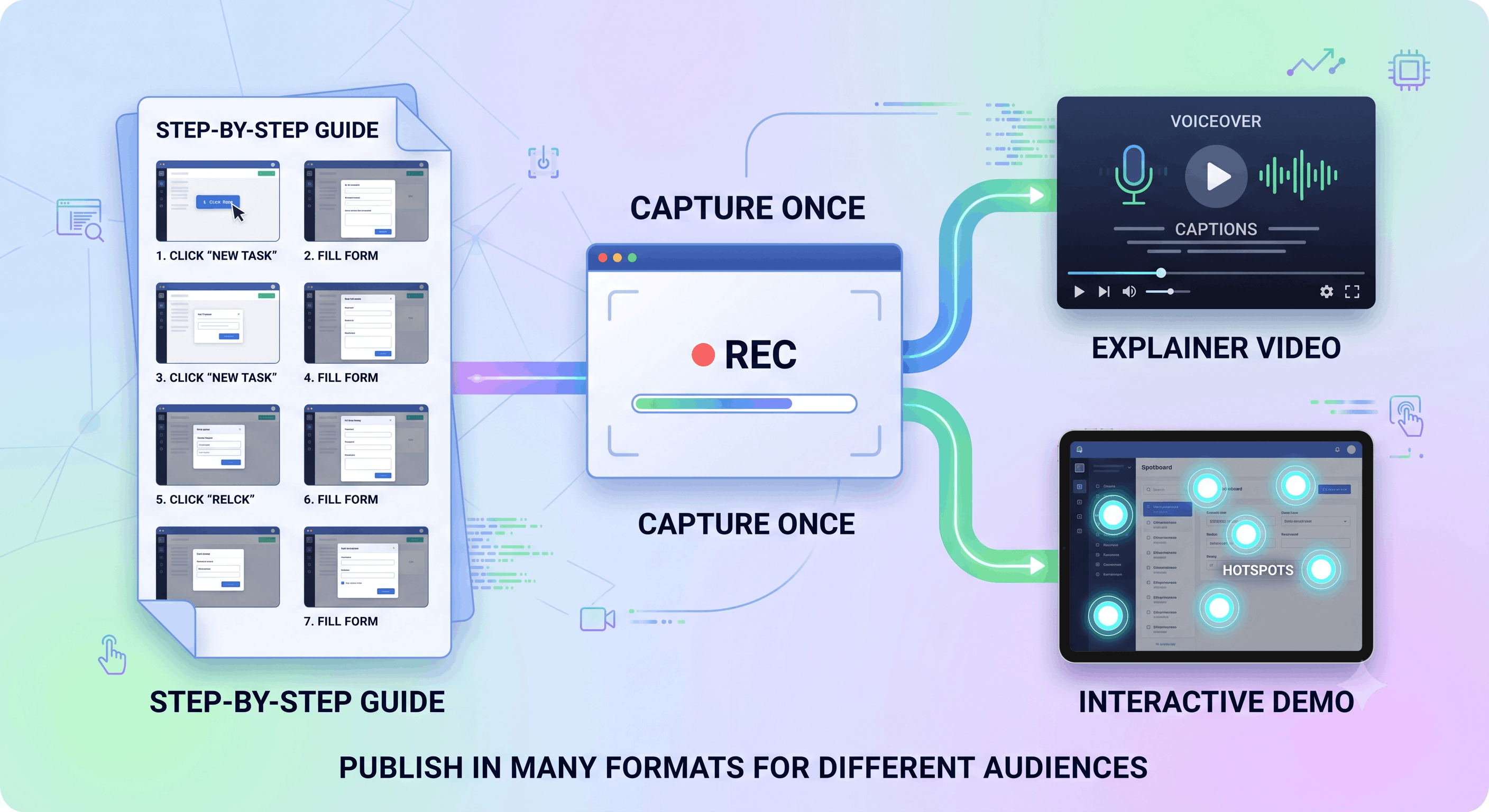
Image generated by Google Gemini (2026)
Use these questions to decide the format for each process.
Screen recordings and written SOPs are not competitors. Each solves a different problem. Written SOPs are best for policy, logic, and reference. Screen recordings are best for showing how to do a task inside a product. Step-by-step guides combine the two. When teams choose a format based on the process instead of habit, they spend less time answering "Can you show me?" and more time getting things done.
.avif)
.avif)
.avif)
.avif)


