Celebrate July 4th with a 10% Independence Day discount! Use coupon code — JULY4QC2024! 🤩
-p-130x130q80.avif)
You can now add annotations to any step in your guides to provide extra context exactly where it's needed. In the Edit panel, go to Add elements → Annotation and choose from four annotation types:
Customize the title, description, and placement within the step to highlight important information.
Perfect for flagging tips, warnings, or updates without cluttering the guide itself.
Refer to How to add an annotation to a step in your guide for a detailed walkthrough.
The time picker has been rebuilt for faster, more precise timestamp selection.
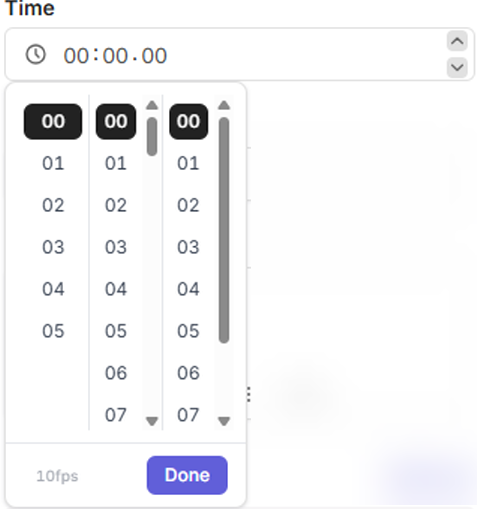
Precise timestamps, fewer clicks.
.avif)
.svg)


