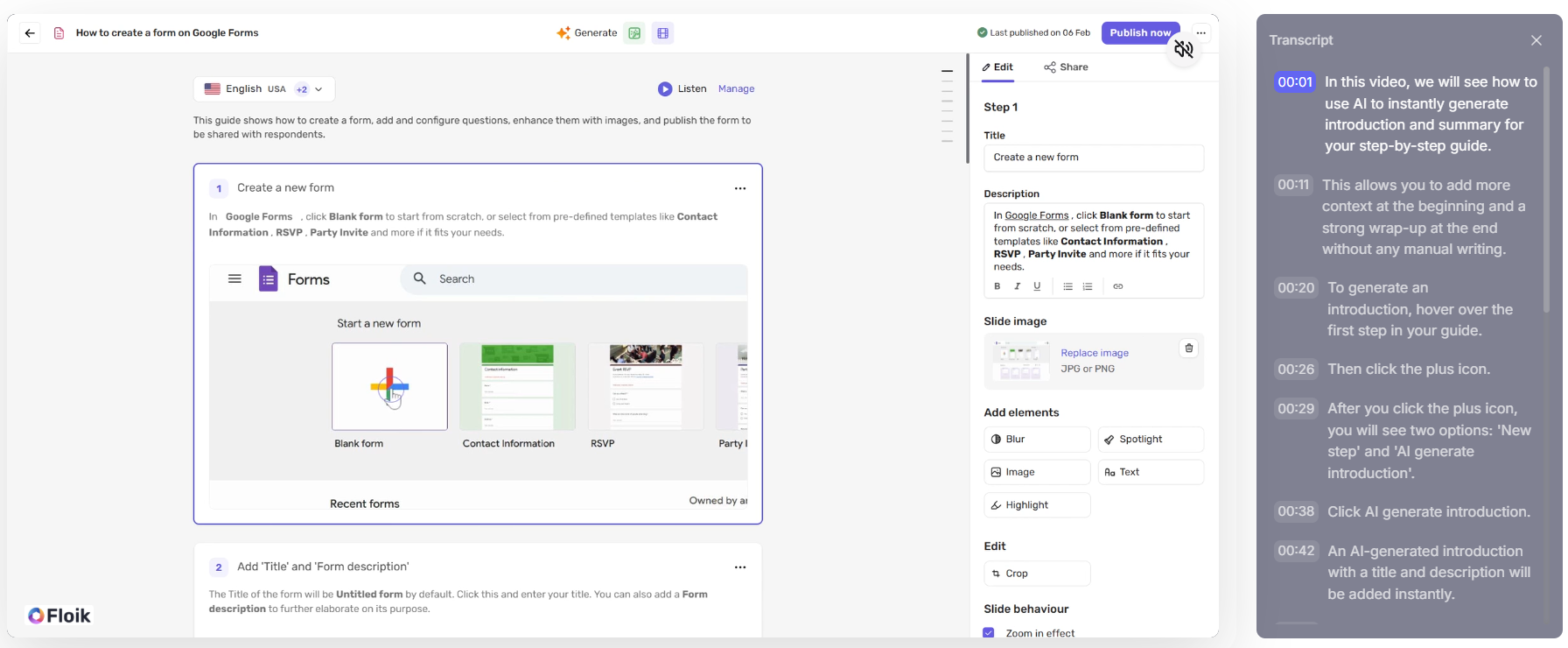
Viewers watching interactive demos and videos can now follow along with a live transcript synced to video playback. The transcript appears as a panel on the right side, displaying timestamped lines that highlight in real time as the video progresses, making it easy to follow the content or jump to a specific moment.
How to enable
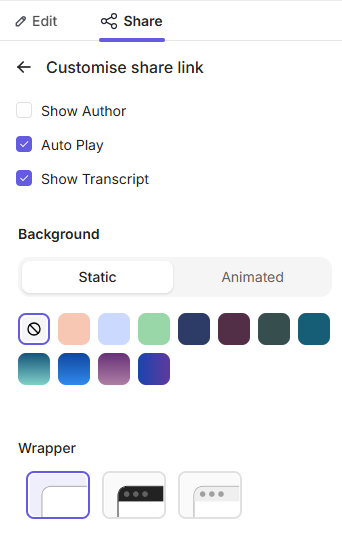
Go to Share and click Customise.
Select Show Transcript.
Share the Flo. Viewers will now have access to the transcript panel.
How end users can view the transcript
Open the shared Flo and start playback.
Click the three-dot menu in the bottom-right corner of the player.
Select Transcript from the menu.
The transcript panel will appear on the right side, with timestamped lines syncing live to the video as it plays.
To close the panel, click the ✕ at the top right of the transcript sidebar.
-p-130x130q80.avif)
.avif)
.svg)


