From the Edit panel of a Step-by-Step Guide, you can add steps your recording missed, delete extras, and reorder the rest.
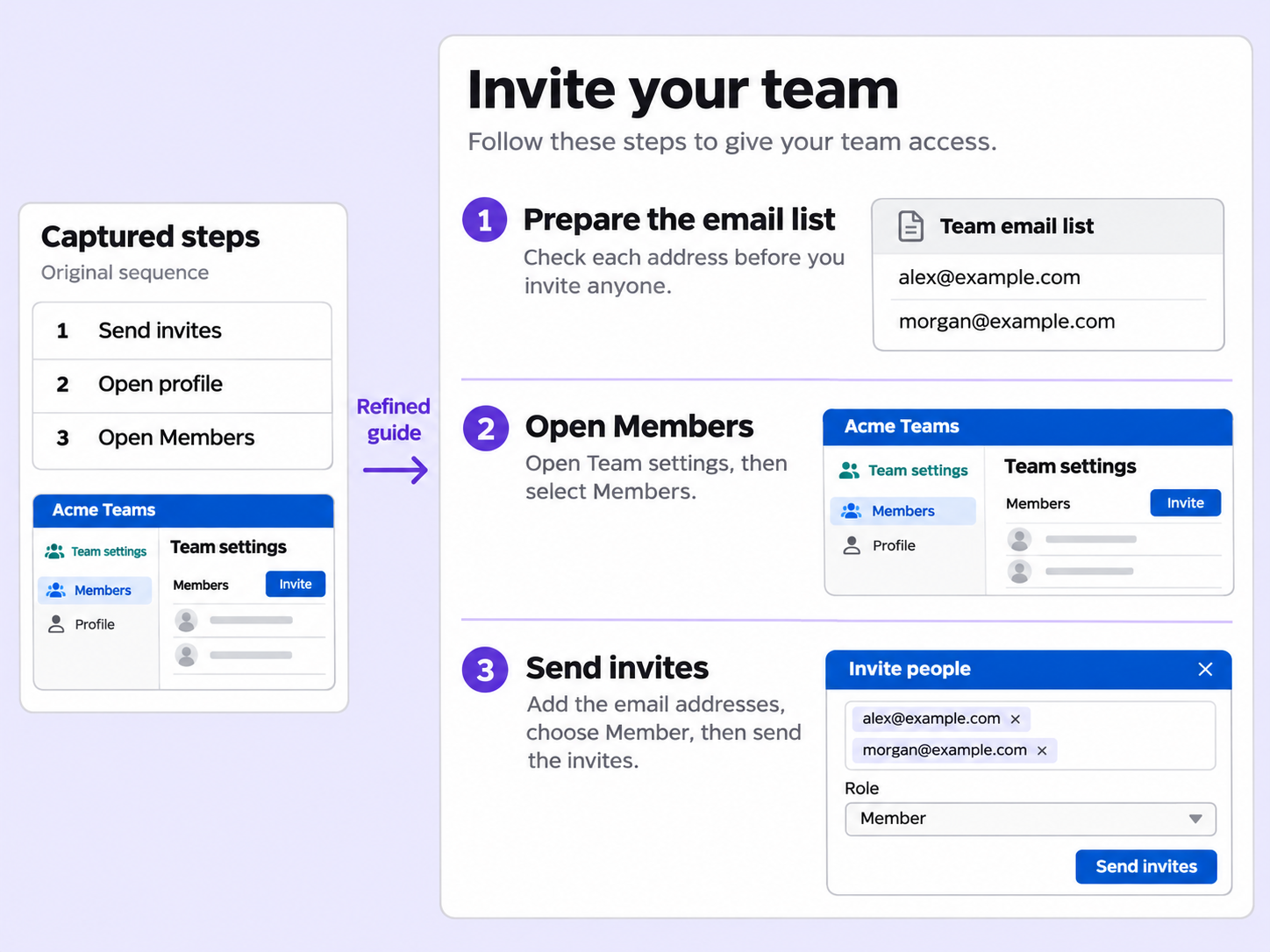
A guide starts from the steps you captured, and it doesn't have to stay that way. Edit the sequence and the content without recording again.
Steps that were not captured can be added with a title, a rich-text description, and an image or background.
Steps can be deleted one at a time, or in bulk by selecting all steps, or all steps with or without images.
The step navigator lists every step, and dragging a step to a new position changes the sequence of the guide.
Quick looks of how to do this in Floik app
A few situations where this feature saves the most time.
Reorder the steps of an SOP after recording, so the guide follows the process in the right sequence.
Delete outdated steps from a help center guide in bulk, instead of removing them one by one.
Capture workflows from your browser or desktop applications with the Floik Chrome extension, or simply upload an MP4. Floik AI does the heavy lifting, taking you all the way to polished interactive guides, SOPs, feature walkthroughs, and professionally narrated videos.
You review. You validate. You refine. You stay in control.
Free plan available · No credit card required