✦ Record 5 Flos
✦ Customize with video editing
✦ Add Interactive elements
Celebrate July 4th with a 10% Independence Day discount! Use coupon code — JULY4QC2024! 🤩
-p-130x130q80.avif)
Simplify complex products into visually engaging videos with a personalized touch to communicate the value of your products
Customers have their opinion about Arête.
Transform user understanding with compelling videos every step of the way. Let your users digest the video content whenever they need a memory refresh.

Help users get the most out of your product with snackable explainer videos

Boost your customer education efforts with detailed product videos for every use case

Create impactful product videos that resonate with your audience and drive sign-ups

Answer prospects' questions and address objections with videos to personalize your sales outreach
You can choose to record your screen, just yourself, or both the screen and yourself. Capture audio at the same time.
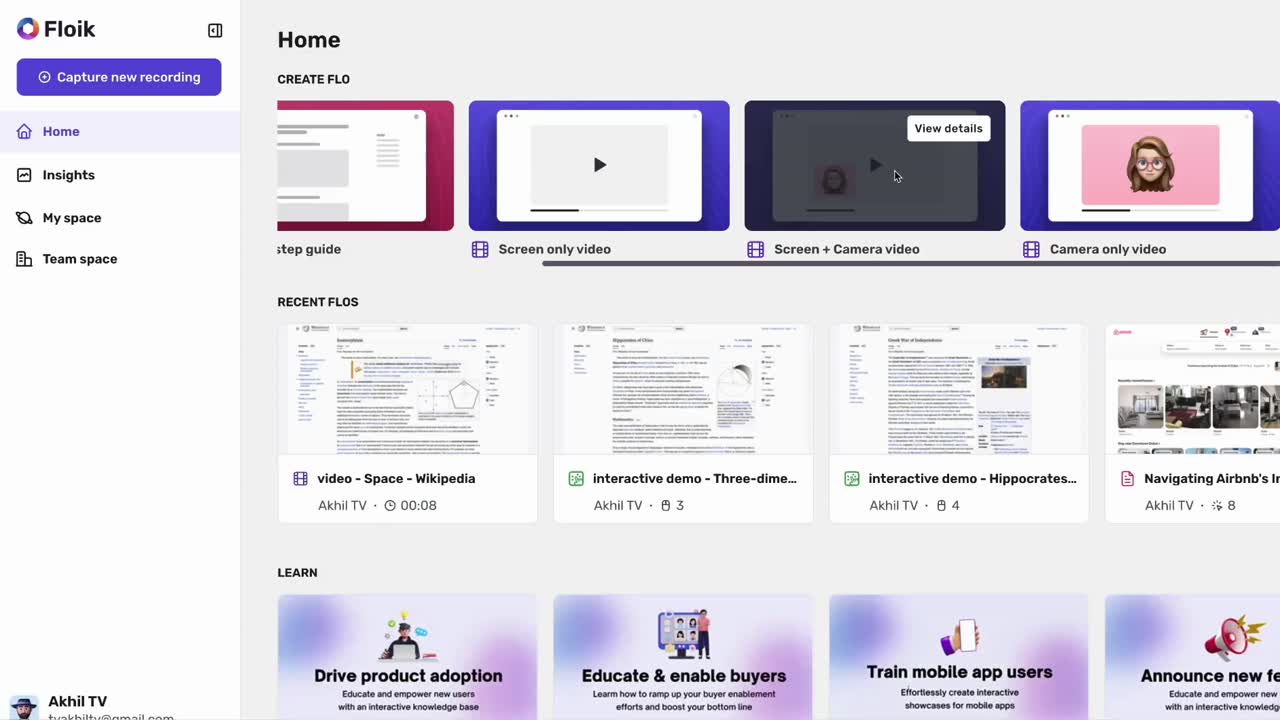
Edit easily without your designers. Add calls-to-action, captions, and transform your voice into an AI one with our smart editor!

One-click sharing of URLs, and good old download option is in here too! Easy embeds anywhere on the web and view realtime engagement insights of your flows.
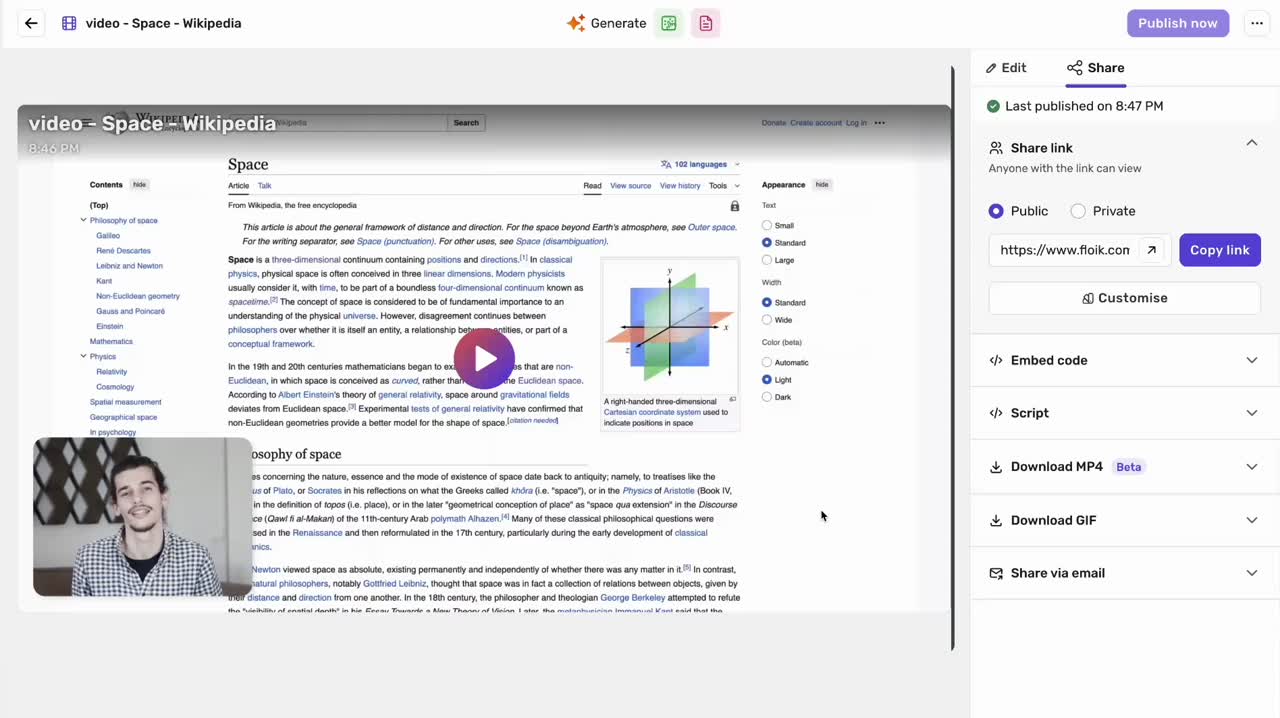
✨ Explain your workflow Seamlessly – Chrome Browser Extension Required! ✨
Don't tie users to a wall of screenshots. Create videos to give them a lay of the land and understand your product's capabilities for their specific use cases.

Embed, upload, or send these videos wherever you want.

Collect feedback and follow-up questions from users.


Make life easy for your teams with a neat CMS to organize all product videos. Let users find answers and troubleshoot issues on demand with a quick access video library.

Create & publish folders for different product capabilities.

Collaborate your team seamlessly to make and update content.
Say goodbye to juggling multiple tools for making and finetuning videos. Create, edit, publish, and save videos in one place.

Trim, crop, transcribe videos and add AI voiceovers.

Publish videos with a custom CTA guiding users for the next steps.






I think for me it would be the super simple interface and how quick it is to create a video. However, I would also add, that I think the thing that trumps this is that youj only need to record your screen once and then you can use that recording as a standalone video, interactive guide or step-by-step guide.

.avif)
I absolutely love what I've seen from the app so far. I have used Tango, Scribe, SmartCue and several others. Yours has been popping into my mind more often.


Floik is a game changer in creating user manuals. It’s easy to use and helps you create clear and concise instructional content. It’s a must have tool for businesses
Yes, you can try Floik for free.
You can download videos in the MP4* format. Or you can share a link and embed them anywhere.
A short video explaining your product's capabilities, and how each feature can solve your customers' problems. It serves to educate potential customers about your product in a simple, engaging, and compelling manner, often within 1 to 3 minutes.These videos are often placed on a website's home page or a product page to educate and engage visitors. They are also used in help centers, blogs and emails.
Yes, you can edit any video you create using Floik.Floik's rich editor lets you trim your video, crop the screen, and transcribe the audio. You can also add AI voiceovers with a script. Create a custom call-to-action for every video and guide users about the next steps.
.webp)
Floik helps in creating customized self-serve interactive demos, product videos and step-by-step guides in minutes on a single platform

.svg)