-p-130x130q80.avif)

.svg)


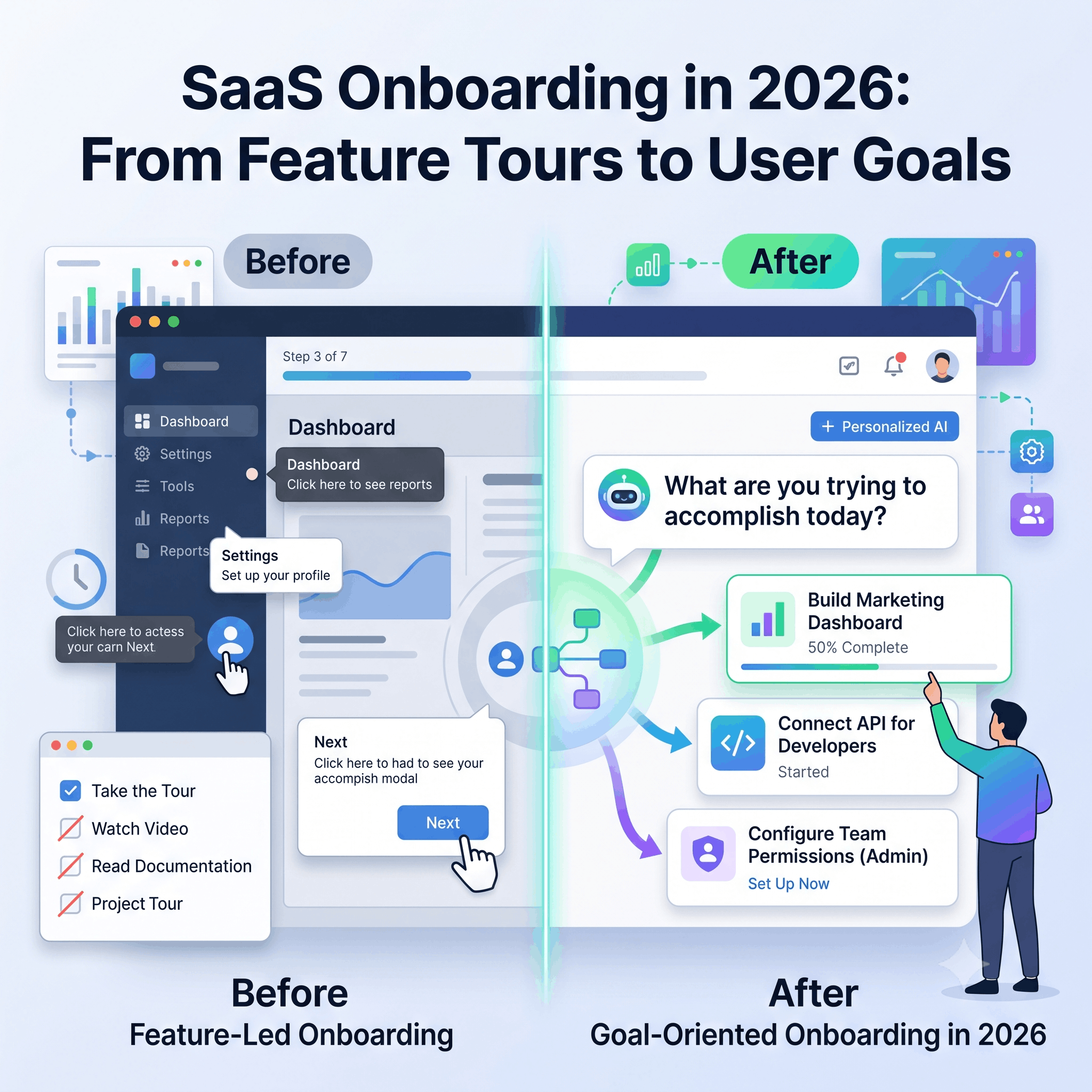
A new user signs up, fills in their profile, clicks through a product tour, checks a few boxes, and then closes the tab. Maybe not becausethey don’t like the product; instead, they just haven’t seen any reason to keep going. For years, the usual solution to this was to improve the onboardingflow. Add a better product tour, a checklist, write better documentation, and show more tooltips.
However, the problem is that most of these things still do the same job: they explain the product. They don’t necessarily help the user accomplish any task. That’s what is starting to change in 2026. AI isn’t just helping teams write onboarding copy faster. It’s making it possible to build onboarding around what the user is trying to accomplish.
Why the standard flow falls short
The conventional flow is simple: sign up, take a product tour, read the documentation, and then try the product. In this approach, it is assumed that everyone who signs up needs roughly the same information in roughly the same order. But that’s rarely true. Let’s say an analytics platform has three new users signing up on the same day. The first user is a marketing manager who wants to build a dashboard. The next one is a developer who wants to connect an API. The last one is the admin who wants to configure permissions. With the traditional approach, all of them get the same seven-step tour. The marketing manager skips the API instructions. The developer skips the dashboard walkthrough. The admin wonders why they’re being shown features they can’t use yet. Eventually, everyone has to find their own way through the product anyway. Here, the tour explained the product. It didn’t help them use it.
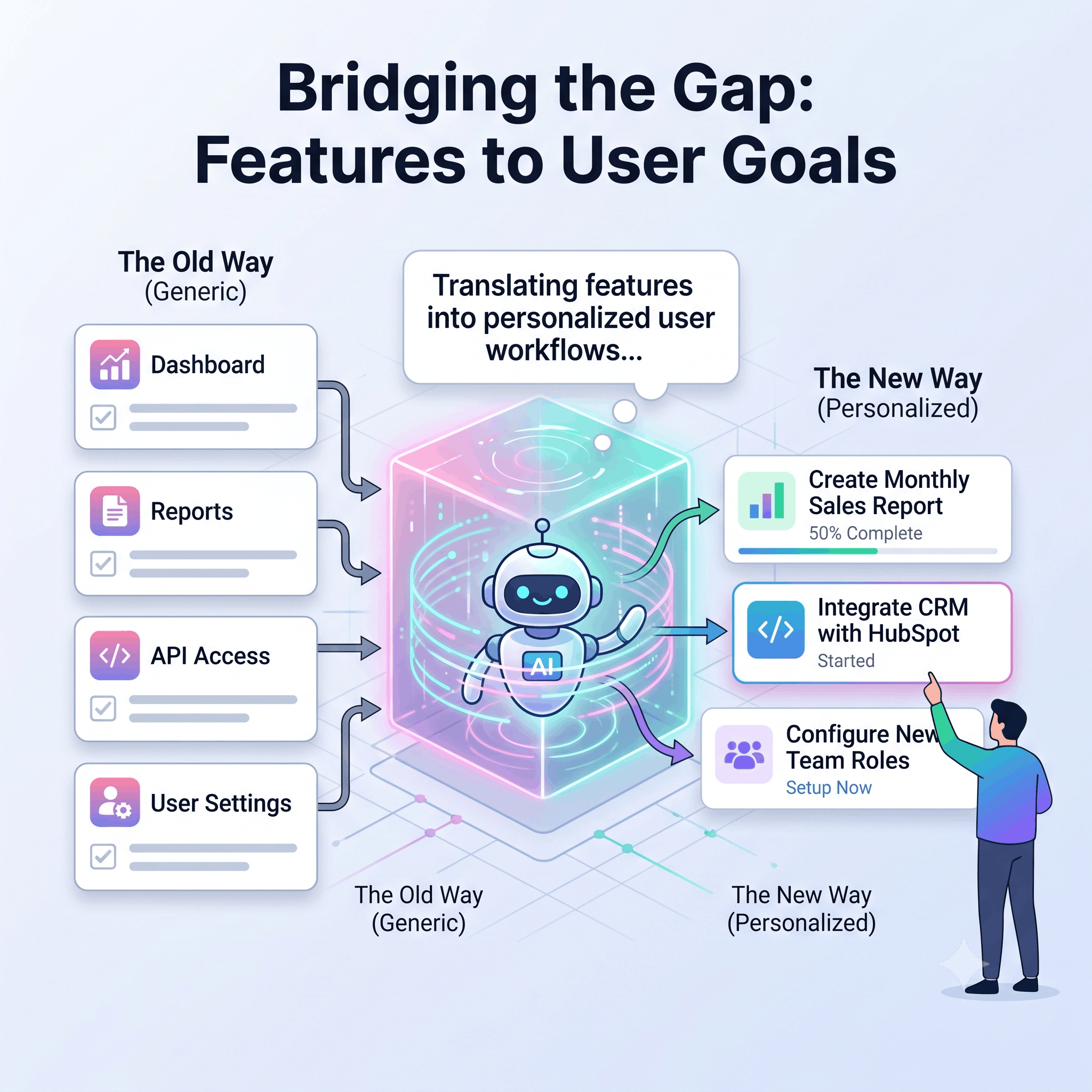
Image generated by Google Gemini (2026)
A single path works when everyone is heading to the same place. Once they aren’t, the tour stops being onboarding and becomes a feature list with arrows on it. This is the gap that is addressed by Product-led onboarding. Instead of sending users away to read about a feature, you get them into the product and help them reach something useful.
What’s different in 2026?
Most products now have an AI assistant somewhere in the interface. However, that alone doesn’t improve onboarding. In 2026, the ideal approach is not to ask the user to choose between Marketing, Sales, and Operations. Instead, the user is asked, “What are you trying to set up? How can I assist you?” The user may come up with something like, “I need a weekly report of my sales team.” The product can then use that answer to suggest the features and steps that matter for that goal. This is better than the user hoping the predefined onboarding path is relevant.
Even after all the setup, users may still get confused and leave the product. A good in-product help gives them a reason not to.
Placing an AI chatbot in the bottom-right corner of the screen and calling it AI-powered onboarding doesn’t solve the problem. This may help users when they are confused. However, adding an AI assistant doesn’t fix a broken onboarding flow. Sometimes, it might make things worse: more pop-ups, more suggestions, more messages, and more things competing for the user’s attention.
Before adding AI assistance, identify where users are struggling today. Ask the following questions and fix these issues first.
Sometimes the answer won’t involve AI at all. Maybe the problem is simply that step four comes too early. Here is a practical four-stepplan to create an onboarding flow that really works.
1. Define the first value moment
Identify the key action that would show a new user how your product solves their problem. Start with it.
2. Find the three workflows causing the most friction.
You don’t have to fix everything at once. Look for the workflows that generate the most confusion, drop-offs, or support questions.Address those one by one.
3. Choose the format based on the problem.
Use a video when someone needs an explanation. A step-by-stepguide when they need instructions. An interactive demo when they need to learna workflow by doing it. Documentation when they need a reference. Keep it simple.
4. Measure what users accomplish.
Tour completion tells you that someone clicked through a tour. It doesn’t tell you whether they got value. Look at time to first value,activation, feature adoption, trial-to-paid conversion, and support tickets during onboarding.
One challenge with personalized onboarding is that it creates more paths. More paths mean more assets to maintain. This is where a workflow-first approach would help. Floik starts with workflow instead of individual assets. Record a workflow once, then turn it into a Step-by-step guide, an Interactive demo, or an Explainer video. Features such as CTA, Insights, and Multilingual AI voiceover help create a personalized onboarding experience.
In 2026, the biggest change in SaaS onboarding isn’t that AI can generate onboarding content and guides. It’s that onboarding is moving from“Here’s everything you need to know” toward “Tell me what you’re trying to do, and I’ll help you get there.” To keep your onboarding from being outdated in today’s trend, start with the user’s goal rather than your feature list. Introduce information when it’s useful instead of dumping it all on day one. Use the format that fits the task. A good onboarding doesn’t need to teach users everything. It just needs to keep the user engaged and not let them wonder what to do next.
.avif)


